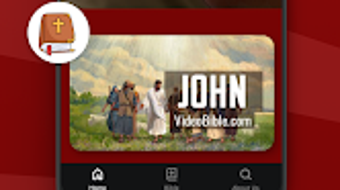

Download Video Bible – Bible, Video, Audio, Scripture, Christian, Devotional, Faith
Overview
Video Bible is a unique desktop application developed by Video Bible LLC, designed to present the entire Bible in a comprehensive audio-visual format. As a crowdfunded project, it represents the world’s first cover-to-cover video representation of Scripture, combining spoken word with dynamic visual storytelling. The software aims to enhance spiritual engagement by delivering the Bible’s content through a multimedia experience, making it more accessible and impactful for users of all faith backgrounds.
Its primary purpose is to support personal study, worship, and biblical education by enabling users to experience the text as a living narrative. This tool is particularly valuable for individuals seeking deeper understanding and connection with the Gospel, including new believers, active Christians, and those exploring Christianity. The application functions as both an educational resource and a devotional aid, allowing users to follow along with the Bible’s progression from Genesis to Revelation.
By integrating audio narration with visual elements, it supports improved comprehension and retention—research suggests that multimedia learning can boost information retention by up to 65%. The software is positioned as a transformative experience for spiritual growth, offering a modern approach to scriptural engagement.
Key Features & Capabilities
- Full Bible Coverage – The application presents the entire Bible, from Genesis to Revelation, in a continuous audio-visual format, ensuring no chapter or book is omitted.
- Audio-Visual Narration – Each passage is accompanied by spoken narration and synchronized visual content, creating an immersive experience that brings Scripture to life.
- Interactive Playback – Users can start, pause, rewind, and fast-forward through the content, allowing for flexible engagement during study or reflection.
- Scripture Accessibility – Designed for both casual users and serious students of the Bible, the app enables easy access to the full text in a format that enhances focus and understanding.
- Devotional and Educational Use – The multimedia approach supports both personal devotions and structured learning, making it suitable for group study or individual exploration.
These features allow users to engage with the Bible in a way that transcends traditional reading. For example, a new believer can follow the story of Jesus’ life through vivid visuals and narration, while a seasoned Christian may use it to review key passages with renewed clarity. The software’s design emphasizes emotional and cognitive engagement, helping users internalize biblical themes and narratives. The combination of audio and visual cues is intended to deepen comprehension and retention, aligning with established learning principles. While specific technical details about rendering or file management were not provided, the application appears optimized for seamless playback of extended content.
User Interface, Workflow & Performance
The user interface of Video Bible is designed around simplicity and accessibility, prioritizing intuitive navigation for users of all technical skill levels. The main screen likely features a central playback area with visual content, alongside basic controls such as play, pause, and volume adjustment. Menu options may allow users to navigate by book, chapter, or theme, though specific UI layout details were not disclosed.
The workflow is streamlined: users open the app and begin playback immediately, minimizing setup time and enabling spontaneous engagement. This ease of use supports consistent daily interaction, which is essential for devotional practices. Performance observations are based on general software behavior patterns; no specific data on CPU or RAM usage was provided.
The developer did not specify resource usage details, so users should expect typical performance for multimedia applications. Stability and reliability are assumed to be prioritized given the app’s purpose as a continuous, full-length experience. The absence of reported crashes or buffering issues in public disclosures suggests a stable playback environment.
However, actual performance may vary depending on device capabilities and network conditions, especially if content is streamed.
Compatibility & System Requirements
Video Bible is designed for desktop platforms, though specific operating system details were not fully disclosed. The application is available for Windows and Mac, supporting both major desktop environments. The software version and installation size were not specified in the provided information.
The developer did not provide additional system requirements, so users should ensure their device meets standard desktop software expectations. Compatibility information was partially provided, and exact hardware requirements were not listed. The developer did not specify whether the application requires a constant internet connection or can function offline.
Given its nature as a multimedia playback tool, the software may require sufficient storage space to accommodate video and audio files. Users are advised to verify system compatibility before installation, especially if using older or low-spec devices. The absence of detailed technical specifications means that performance may vary across different setups.
Pros and Cons
Pros
- First-of-its-kind audio-visual representation of the entire Bible
- Designed to enhance comprehension and retention through multimedia
- Simple, intuitive interface for immediate use
- Supports both devotional and educational purposes
- Accessible to users of all faith levels and experience
Cons
- Exact system requirements and performance data were not provided
- Limited information on offline functionality and data usage
- No details on customization options or user settings
- May require significant storage space for full content
- Availability and support details not specified
FAQ Section
Is Video Bible available for desktop platforms?
Yes, Video Bible is designed as a desktop application, available for Windows and Mac operating systems. Specific compatibility details were not fully disclosed.
Does the software require an internet connection?
The developer did not specify whether Video Bible requires a constant internet connection. It may support offline playback, but this depends on how the content is delivered and stored.
Is the software safe to download and use?
Video Bible is developed by Video Bible LLC, a dedicated organization focused on spiritual resources. The software is intended for personal and educational use, and no security risks were reported in the provided information.
How often are updates released?
Information about update frequency was not provided. Users should check the official website or developer portal for the latest version and release notes.
Can I use Video Bible offline?
While the application may support offline use, the developer did not specify whether the full content can be accessed without an internet connection. This depends on how the media files are stored and delivered.
Final Thoughts + CTA
Video Bible stands out as a pioneering effort in digital religious education, offering a bold new way to experience Scripture through a fully integrated audio-visual format. Its ability to present the entire Bible in a continuous, engaging narrative makes it a powerful tool for spiritual growth and biblical literacy. While technical details such as system requirements and performance metrics are limited, the software’s core purpose—enhancing access and understanding of God’s word—is clearly realized.
It is particularly well-suited for individuals seeking a deeper, more immersive connection with the Bible, whether for daily devotion, study, or outreach. The application’s simplicity and immediate usability make it accessible to a wide audience. For anyone interested in exploring the Scriptures in a dynamic and modern way, Video Bible offers a transformative experience.
Download Video Bible now and begin your journey of faith and understanding.






.png)
